We add captions in social networks mainly to allow people with hearing disabilities to access our content. Additionally, nowadays, young viewers find captions very useful.
In this article
We add captions in social networks mainly to allow people with hearing disabilities to access our content. Additionally, nowadays, young viewers find captions very useful.
At GoLocalise, as content creators, we would like to share our commitment to the culture and practice of accessibility. It is crucial to our society as a whole that all information is conveyed and accessible.
While the emotions of characters or the mood of a scene don't immediately register, seeing the emotions written out on screen can allow them to understand immediately what the scene's character is feeling.
Why Add Captions to Videos on Internet?
Besides the solid point that accessibility is for everyone, the practice of correctly captioning videos helps in many different ways.
Google cannot search the content of a video, but if you create captions, you can publish the transcripts, which Google can index. In other words, they improve your search engine optimisation, and more people will find your content!
The rise of captions can also be linked to COVID. Learning and TV consumption with closed captioning engaged suddenly became socially necessary and acceptable, especially if you are in close confines with family or roommates.
Additionally, listening to the written words underneath is excellent practice for foreign viewers to improve their language skills. This allows viewers to take in more of the material.
Add Captions to a TikTok Video
Are you looking for ways to boost your engagement on TikTok? If so, you must consider using CC. They can help you reach a wider audience and keep your viewers engaged with your content.
Here are some tips for using them efficiently:
- When uploading your video, tap the Captions button on the right side of the screen. TikTok will automatically transcribe any audio in the video.
- Once TikTok generates your caption, review it for accuracy.
- Hit save when you're done editing and your captions are ready to display.
TikTok auto-captions are not perfect. They're not always 100% accurate. However, they're a helpful tool for content creators who want to reach a wider audience.
TikTok's captions feature is not only inclusive, but it also helps create a better experience for all users of the app.
You can edit the captions if you like or turn them off entirely.
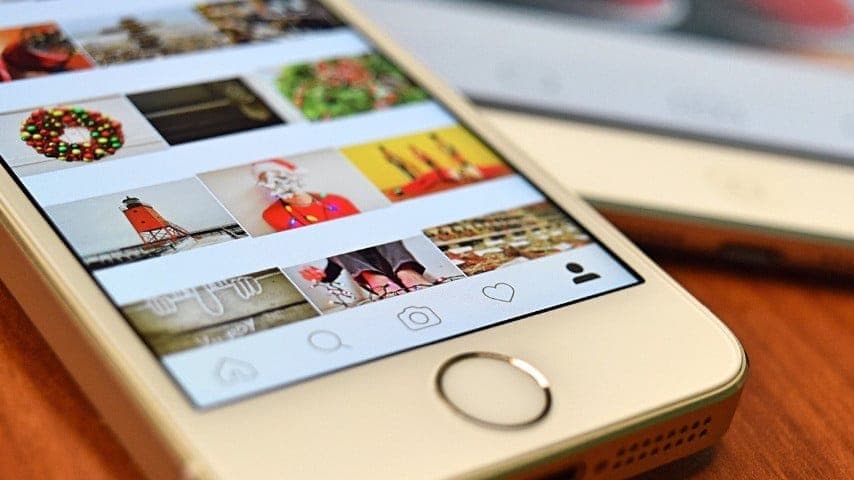
Add Captions to Instagram Stories
Instagram is one of the hottest social media platforms around and for a good reason. It's a great way to showcase your creativity, share your talent with the world and build a following of engaged fans.
But if you're not using Instagram CC and add captions, you're missing out on a significant opportunity to boost your engagement and reach on the platform.
You're in luck if you want to add captions to Instagram videos. Here's how to do it:
- Click the Your Story button.
- Make or upload your video.
- Tap the sticker icon and then select Captions.
- Pick the font, size, colour, and location of your texts.
- Hit Done when you're finished, and then Your Story.
If you're still wondering whether they are suitable for you, the answer is most likely yes! That's because captioned videos are more accessible to a broader range of viewers, which means more people will be able to watch and engage with your content.
Add Captions to YouTube Videos
YouTube is a global platform; it's one of the most visited websites worldwide. To help you get your message across to this global audience more successfully, YouTube provides many valuable features, like translation, subtitles, and captions.
In addition to making your videos more accessible to a broader range of viewers, to add captions can also help boost your channel's overall accessibility.
With more relevant keywords in your captions, more people will be able to discover your videos through search. And that means more views, likes, comments, and shares, which is ultimately what we're all aiming for on social media!
Not to mention, better engagement metrics will also give you a boost in the algorithm, which will help even more people discover your content organically.
How to edit YouTube's automatically generated captions:
- Go to the YouTube Studio
- From the left menu, select "subtitles"
- Choose the video you'd like to subtitle
- Hover over the English (automatic) section and look for the three-dot menu
- Click that menu and select "edit on classic studio"
- Click "edit"
- Type your changes
- Click "publish edits"
- Wait for YouTube to sync and update your video captions
Automatic Closed Captions vs. Custom Captions
The key difference between open and closed captions is that open captions are always on view and can't be switched off, while closed captions can be turned on or off by the viewer.
Since closed captions can be turned on or off, they put the viewer in charge of their experience. The CC allows view videos in all kinds of scenarios, even loud train rides or quiet places where the sound might disturb others.
Both, closed and open captions, have value – the critical thing to decide is how your audience will best engage with your video content.
Professional Closed Captioning Services
Now that you know all about captions, you are one step ahead in creating a better user experience.
But suppose you are at a professional level and would like to reach a wider audience and become internationally known with excellence and at a fast pace. In that case, we recommend working with a specialized agency.
When captioning professional videos, you'll find that several elements must be done appropriately to attain extraordinary results. In those cases, these automated editing tools just won't cut it. You will need expert editors with a multitude of software.
At GoLocalise, London's leading agency since 2008, expert project managers will review your videos and advise which elements would be best captioned or even graphically enhanced to make the best of your video. And it is not as expensive as one might think!
With their incredible facilities and highly skilled operators, there is no doubt that your video will be in safe hands! The benefits are so great that we think a video is incomplete until it has professional captions.
FAQs
Are the automatic captions on TikTok, Instagram and YouTube good enough?
For a casual post, often. For anything with a brand name, a product name, a number or an accent in it, no — auto-captions mishear exactly the words you most need right, and on a muted autoplay feed the caption is the message. The usual compromise is to let the platform generate a draft and then correct it.
Does adding captions actually increase views?
It increases watch time, which is what the feeds optimise for. A large share of social video is watched with the sound off, so an uncaptioned video is asking a silent viewer to guess. Captions also make the first seconds legible while someone decides whether to keep scrolling.
Should captions be burned in for social?
For feed video, usually yes, because you cannot count on the viewer enabling anything. Keep them clear of the platform's own interface — the bottom third is often covered by usernames and buttons — and make sure the text is large enough to read on a phone held at arm's length.
Can you caption a batch of social videos in several languages?
Yes, and doing them as a batch is what makes it economical: one pass of transcription and spotting, then each language and each export from the same source. Send us the videos and the target languages — request a quote.
Need broadcast-standard subtitles?
Subtitling and subtitle translation in 100+ languages, delivered in SRT, VTT, STL and TTML by native linguists.